Actions are not triggering
Written By Guillaume
Last updated 8 months ago
Actions are not triggering
Make sure the Action you created has the right sport selected and the right triggers.
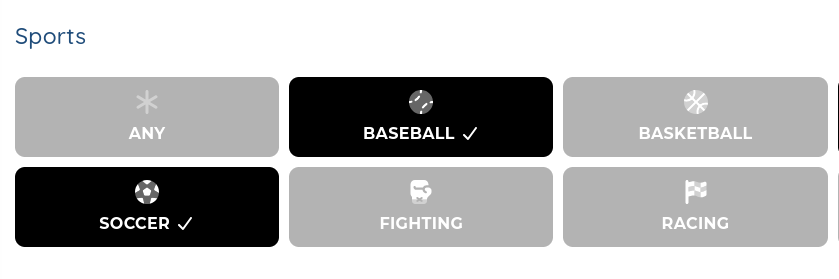
Every sport that is light grey are not selected. Every sport that is black with a check mark is selected. In this example, Baseball and Soccer are selected.
Make sure you are in Live Mode if they don’t trigger during a game in-progress.
The Test Mode will not trigger Actions unless you trigger them manually. In order to sync to live games, you need to switch to Live Mode.
My Team Only is enabled and none of your teams are part of the game you are syncing with.
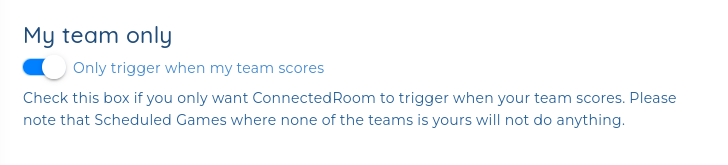
If you have this option enabled in Settings → My Team Only, make sure that at least one team of the current game is part of your teams.
If you want to automate for both teams, disable My Team Only.
If you have a favorite in the 2, make sure to add the team in your teams by navigating to My Room → Add Team (at the top right).
Disable Automation is enabled in the Settings
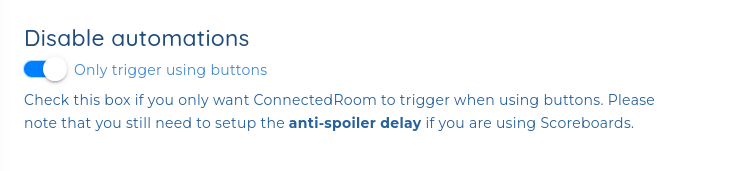
If you have Disable Automations checked on the Settings page, ConnectedRoom will never trigger any of your Actions unless you trigger them manually.
If that’s not what you want, make sure to uncheck this option.
Game is not scheduled in the Calendar
You can verify that the right game is Scheduled by going to My Room → Current Games. If the game you are watching is not there, make sure to Schedule it by opening the Calendar in the menu.
You have a Custom Game enabled
Make sure to disable the Custom Game if you have it enabled. Custom Game will only automate if using something to automate it, like ConnectedRoom Capture.
If none of that works…
If none of these solutions solved your issue, you can try switching from Live to Test and back to Live, or unschedule the game from the Calendar and scheduling it back again.