How to control your Govee lights using ConnectedRoom Hub
Written By Guillaume
Last updated About 2 months ago
Learn how to enable LAN Control on your Govee lights to allow ConnectedRoom Hub to control them.
In the Govee app
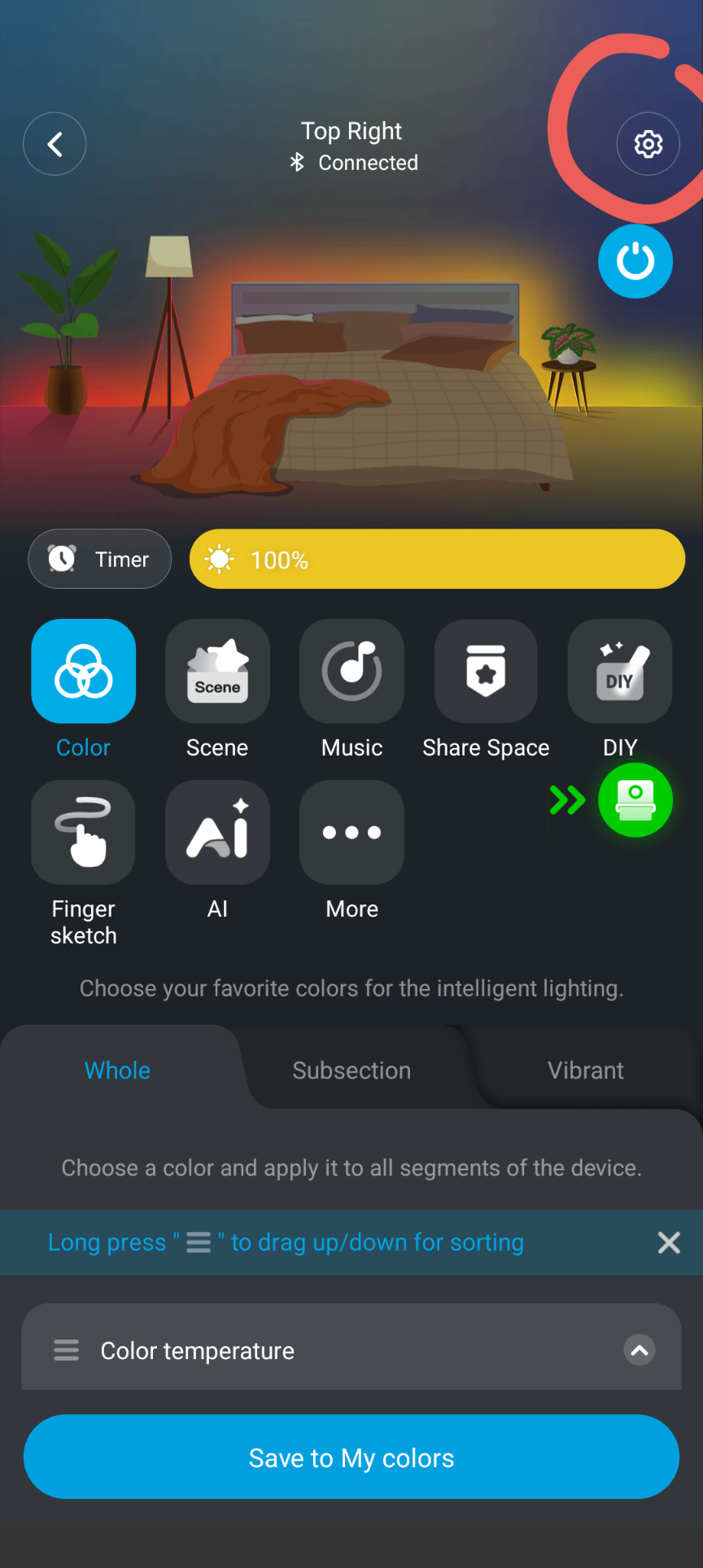
On your phone or tablet, open the Govee app and navigate to your light Settings
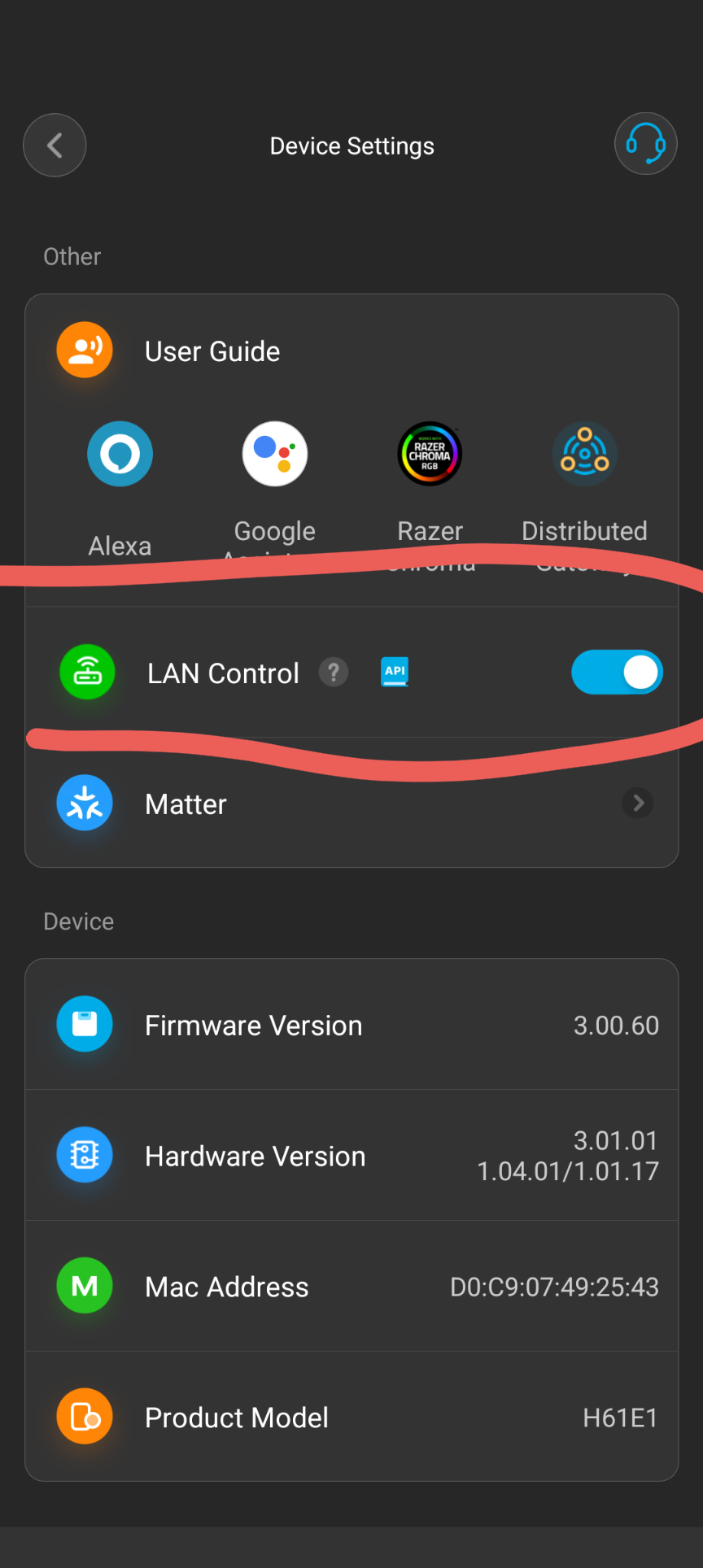
Activate LAN Control
Locate the LAN Control option and make sure it is enabled.
What to do if your light does not have this option
If one of your Govee device does not have LAN Control, the Hub will control this light through the Cloud Govee API.
If there is no LAN Control but there is a Matter option, ConnectedRoom Hub will have a Matter integration very soon.
Disclaimer before enabling the Hub-Accelerated Effects
When you set your Actions to Hub-Accelerated Effects, please make sure that the ConnectedRoom Hub remains active.
These effects are only possible through the Hub. If the Hub goes offline, your lights will not animate until the Hub is back online, unless you disable these effects and use regular Govee Scenes.
Was this helpful?
Still need help? Ask the team